MORE VERSIONS AVAILABLE
![CNH EST 9.14 [2026.02]](https://anyepc.com/storage/products/1113/1113_cf76bc9f-dad8-47eb-963f-a7aebe172483nwm.webp "CNH EST 9.14 [2026.02]")
Cnh
Paul Johnson on January 6th
Introduction
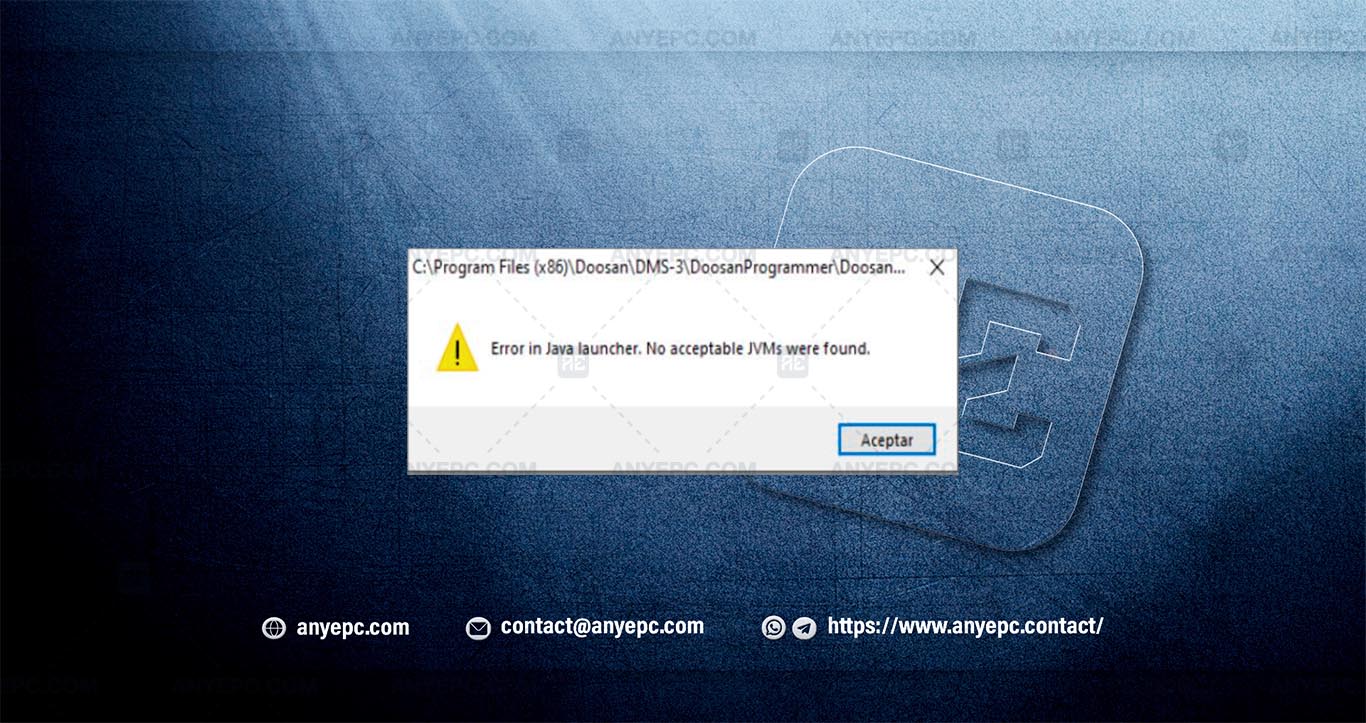
In the context of Java-based applications, the proper setup of the Java virtual machine (JVM) is critical to ensure smooth operation. A common error encountered is the message “error in Java launcher. No acceptable jvms were found”, which blocks application execution due to the absence or misconfiguration of a compatible JVM. This issue not only hinders the functionality of the application (e.g., dooranprogrammer) but also risks system stability and performance.
Detailed descriptions of common errors
When launching the application, the error “No acceptable JVMS were found” indicates that the Java virtual machine (JVM) is either missing or misconfigured. Potential causes include:
1. Jvm not installed: the application requires a JVM, but it is not installed on the system.
2. Architecture mismatch: a 32-bit application may fail to detect a 64-bit JVM (or vice versa).
3. Incorrect Java_home path: the system variable Java_home may point to an invalid or incompatible JVM directory.
4. Corrupted installation: a damaged JVM installation can prevent proper detection.
5. Permission issues: user or system permissions may restrict access to the JVM.
Effects and consequences
The application will fail to launch until a compatible jvm is installed and configured. In critical environments, this error can disrupt workflows, leading to operational delays. Users may experience repeated error messages, reducing productivity and causing frustration. in extreme cases, system instability may occur if multiple java-dependent processes are affected.
View of the implemented solution


MORE VERSIONS AVAILABLE
Cnh
![CAT ET 2026A [2026.02]](https://anyepc.com/storage/products/887/887_b2074290-107c-43e1-8196-d512798466fdnwm.webp "CAT ET 2026A [2026.02]")
Caterpillar
![SIS CAT 2011B [2021.10]](https://anyepc.com/storage/products/38/38_66423fc1-77ae-4e7f-9854-6781eeebe3b4nwm.webp "SIS CAT 2011B [2021.10]")
Caterpillar
![ETIM GO FULL PACK 8.18 [2026.01]](https://anyepc.com/storage/products/77/77_75528d89-74f7-4a31-b9e8-66ccbd6a662fnwm.webp "ETIM GO FULL PACK 8.18 [2026.01]")
Cnh
![BOBCAT ENGINE ANALYZER DCU 03.19 [2024.11]](https://anyepc.com/storage/products/592/592_d51acd7a-f932-471d-9411-fbd2e811b538nwm.webp "BOBCAT ENGINE ANALYZER DCU 03.19 [2024.11]")
Bobcat
![BOBCAT ENGINE ANALYZER ECU 02.18 [2024.11]](https://anyepc.com/storage/products/20/20_1d0bf7e4-c057-48c1-a975-2dcd11e11abenwm.webp "BOBCAT ENGINE ANALYZER ECU 02.18 [2024.11]")
Bobcat
![JCB SERVICEMASTER KG UNLOCKED 2 [2020.01]](https://anyepc.com/storage/products/275/275_6ff8e9e2-b1b9-4afb-832d-242555b6ca14nwm.webp "JCB SERVICEMASTER KG UNLOCKED 2 [2020.01]")
Jcb
![TOYOTA INDUSTRIAL EQUIPMENT 2.27 [2020.09]](https://anyepc.com/storage/products/424/424_d810c159-6d34-462f-88de-bf70a9471c7fnwm.webp "TOYOTA INDUSTRIAL EQUIPMENT 2.27 [2020.09]")
Toyota
![HITACHI PARTS MANAGER PRO 6.5.5 [2016.02]](https://anyepc.com/storage/products/231/231_a4c721c2-fc81-453e-864a-921fb020314anwm.webp "HITACHI PARTS MANAGER PRO 6.5.5 [2016.02]")
Hitachi
![PERKINS EDI 3.0.0.1 [2015.03]](https://anyepc.com/storage/products/391/391_f60c9da1-554a-4659-bd08-f1d78084d143nwm.webp "PERKINS EDI 3.0.0.1 [2015.03]")
Perkins